
The folder is the database: designing a local-first Markdown workspace for coding agents
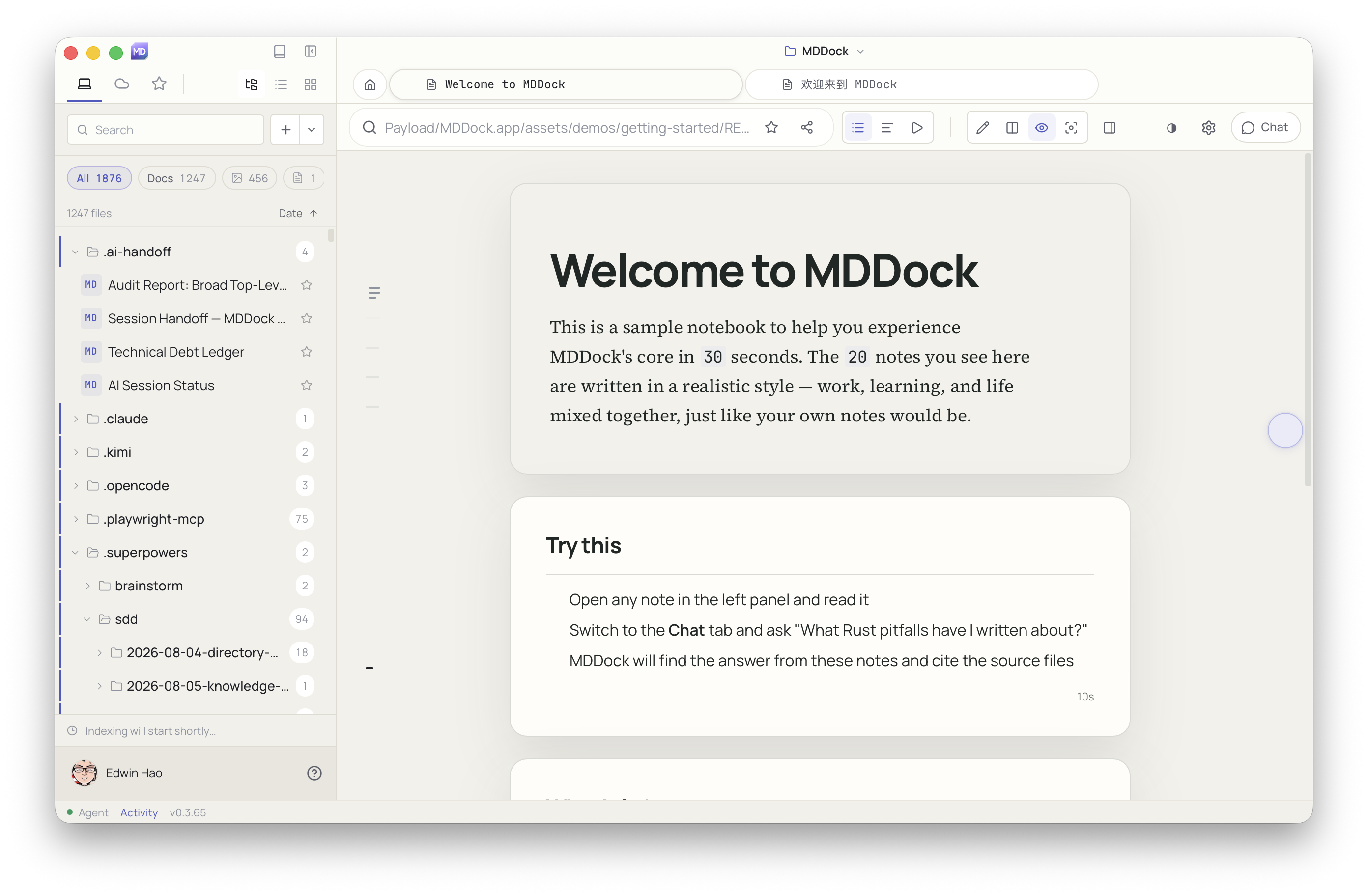
Most note apps treat your notes as rows in somebody else’s database. That can be convenient until you want to move them, search them from a terminal, or give the same context to a coding agent.
I wanted a different default: a folder of plain `.md` files that remains useful even when every cloud service is unavailable. MDDock is my attempt to make that folder the shared layer between a person, their notes, and tools like Claude Code, Cursor, and Codex.
## The constraint that shaped the product
The source of truth is a folder. Not a proprietary workspace file, not an export format, and not a database that only the app understands.
That constraint sounds obvious for Markdown, but it changes almost every design decision:
- A note can be opened in any editor.
- Git can provide history and collaboration.
- A terminal can search the same corpus.
- An agent can read the same files without a private integration.
- Deleting the app does not mean deleting the user’s writing.
The folder is not just storage. It is the interface.
## Writing should not require a migration ritual
The first version of a notes product often asks users to import their existing notes, choose a vault, and learn a new hierarchy before they can write anything.
MDDock opens an existing folder instead. If someone already has Markdown files, they can start with the files they already have. No import ceremony, no conversion step, and no proprietary lock-in.
The editor renders Markdown as you type, while preserving the source as ordinary text. Reading, editing, searching, and exporting all work from that same source.
## Making notes useful to an agent
A coding agent does not need a proprietary “memory” feature if the notes are already plain files with good structure.
The useful layer is retrieval: find the relevant passages, preserve their source paths, and let the person inspect the evidence. MDDock’s AI features are designed around that idea. An answer should be able to point back to the note that informed it instead of becoming an unattributed paragraph.
That also makes the system easier to audit. When an answer looks wrong, the first question is simple: which note did it use?
## The TUI is a useful constraint
The terminal UI is not just a feature checklist. It exposes the underlying model clearly.
In a terminal, the user can browse the same folder, open a document, search the corpus, and use the same Markdown files that the desktop application uses. There is no hidden “agent workspace” that exists only inside a product.
This is especially useful for people who already live in terminals and for agents that need a predictable filesystem interface.
## Local-first does not mean isolated
Local-first means the files belong to the user and remain available without a network connection. It does not mean that every feature has to avoid a server.
AI requests can use a cloud model when the user chooses to allow them. The important distinction is that the notes and their organization do not depend on that service. The user can export, move, or inspect the underlying Markdown at any time.
## The product principle
The simplest test for a local-first tool is:
> If the company disappeared tomorrow, would the user still have their work?
For MDDock, the answer should be yes. The folder remains. The Markdown remains. The user can move on without asking permission from a product’s database.
That is the promise of treating the folder as the database: less platform lock-in, more portable context, and a workspace that people and coding agents can both understand.
Try MDDock at https://mddock.com.